Skip to content

Cookie settings

Choose which kinds of cookies you allow. You can change your choice at any time via Cookie settings at the bottom of every page. Privacy statement

Necessary

Always on

Needed to log in, keep your cart and remember your choices. These are always on.

Which cookies?
  • weboke_sessie, weboke_klant, weboke_remember: your session and staying logged in
  • weboke_basket: your cart
  • wkBtwIncl: showing prices with or without VAT
  • wok_cookies: your cookie choice, 12 months

Measures which ad leads to a visit or order, so we do not pay for ads that do nothing.

Which cookies?
  • Google Ads via Google Tag Manager (_gcl_au, _gcl_aw), up to 90 days
  • OpenAI Ads, ads in ChatGPT
  • wok_aff: which partner referred you to us (affiliate programme), 60 days

4.6

Country and language

Each country has its own site, with prices and VAT for that country.

View

Hoe maak ik een back-up van mijn MySQL-database?

Wij maken elke nacht een back-up van je hele hostingpakket, inclusief je databases. Met WebOké Backups in Mijn WebOké zet je zelf een database terug uit de afgelopen 30 dagen, of download je hem.

Zelf een kopie maken

Wil je zelf een kopie, bijvoorbeeld vlak voor een grote wijziging?

  1. Log in op DirectAdmin en open onder Extra Programma's phpMyAdmin.
  2. Klik links op de database en daarna bovenaan op Exporteren.
  3. Klik op Exporteren. Je krijgt een .sql-bestand op je computer.
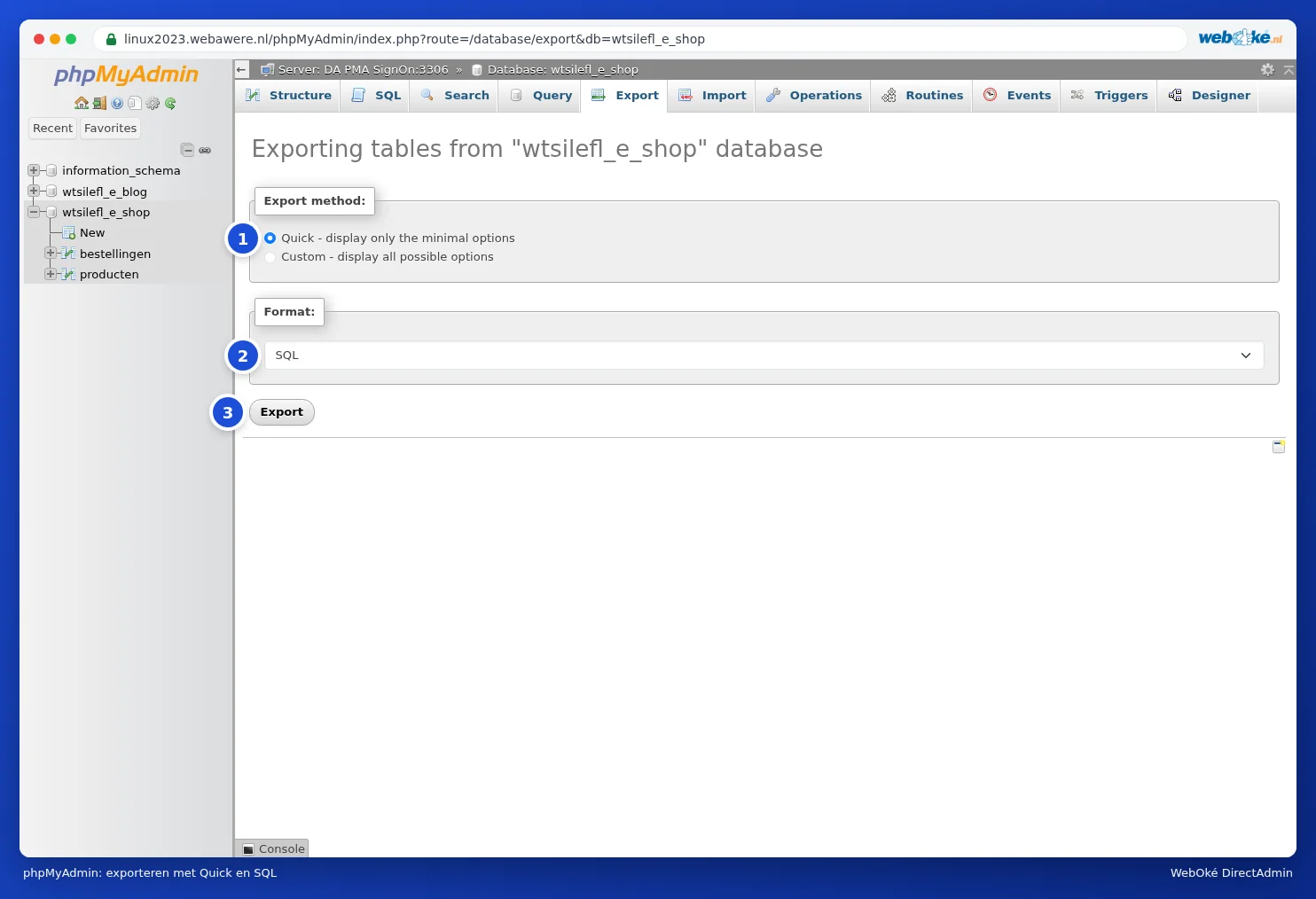
Exporteren in phpMyAdmin
Een database exporteren met phpMyAdmin

Terugzetten doe je in phpMyAdmin met Importeren, het liefst in een lege database.

Zie ook in de DirectAdmin-handleiding: Kan dit ook in Mijn WebOké? WebOké Backups.

Uitgebreide uitleg met schermafbeeldingen: Een database exporteren in de DirectAdmin-handleiding.

Was this article helpful?

← Back to General hosting

One moment…

Set up your domains

For each domain, arrange the nameservers, the link to your hosting and who becomes the owner.

Loading your domains…