
Storage/disk space limit exceeded
When the storage limit is about to be exceeded, our server will first send a notification by email so that action can be taken in time. If the storage limit is nevertheless exceeded, certain parts of the hosting package may stop working.
To prevent this, you can delete unnecessary files from the hosting account.
The most common reasons for full storage are automatically created backups or a full IMAP folder.
Your mail is stored in the IMAP folder; we advise you not to delete anything from it via the File Manager.
Want to free up space by cleaning up mailboxes? Please see this article.
If you cannot free up enough space, you can also expand your package with more storage; this article gives more information.
In the DirectAdmin control panel you can see exactly which folders take up the most storage. To do so, follow the steps below:
- Go to the DirectAdmin control panel. You can do this by going to My Products and clicking the 'DirectAdmin' button.
- Click 'Site Summary / Statistics / Logs'

- Click 'Usage Statistics'
- Click 'Disk Usage' and first choose 'Update' to refresh the statistics, then click 'Details'.
- Here you can see how many MB your databases take up and how much storage is used by files and folders; the latter is called 'System quotas'.
- Click 'System Quota' to see which folders use the most storage.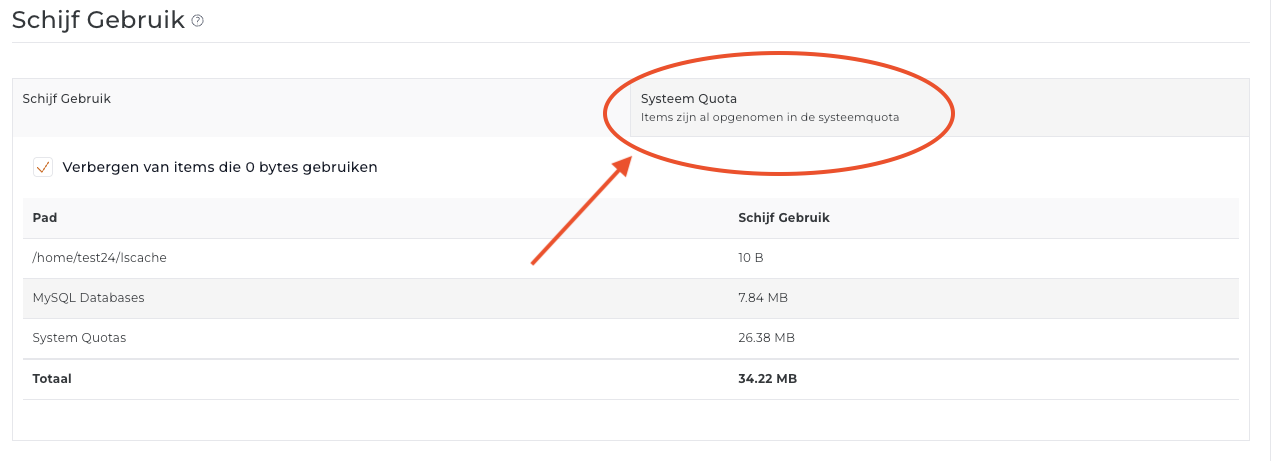
- On this screen you can see exactly which folder contains the largest files. You will often find these folders there:
IMAP and Maildir: these folders relate to email. Your emails are stored in the IMAP folder and the Maildir folder contains functional files. We advise you not to make any changes in either folder.
Domains/public_html: this folder contains the files that are accessible when you go to your domain in the browser, so it holds everything related to your website. The system files of websites themselves are usually not very large; most of the usage is generally found in folders where uploads such as images and videos are stored, or in folders where cache files are stored, if you use caching.
Application_backups: this folder contains the backups Installatron makes when it runs an automatic update of your website. These updates are important, because if an update fails, the site is automatically restored straight away using this backup.
If many updates are run in a short time, storage usage may suddenly increase somewhat, as Installatron needs some working space.
If you do not want Installatron to run automatic updates or make backups while updating, you can change this within Installatron. We do recommend always allowing automatic (security) updates.
You can safely delete the files in this folder to free up space.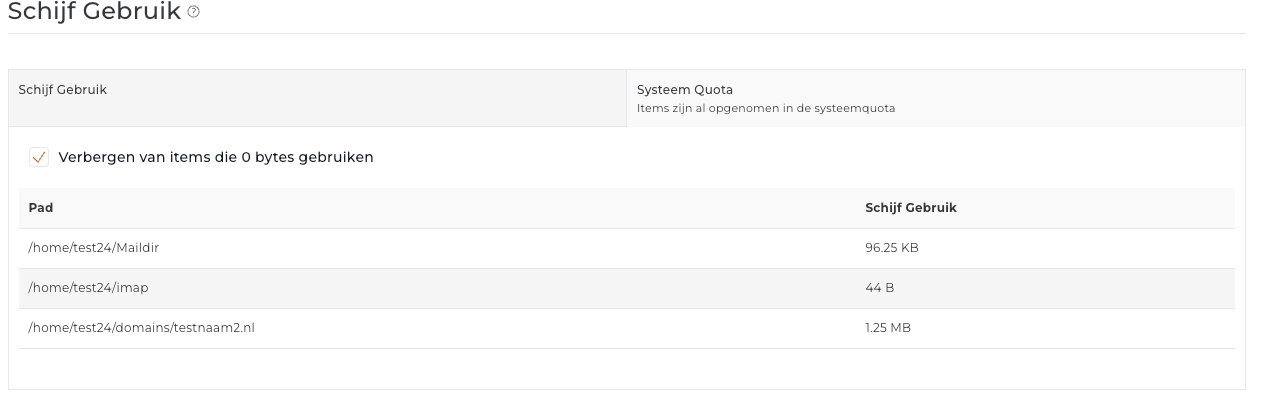
Want to delete files to free up space? You can do this in the File Manager.
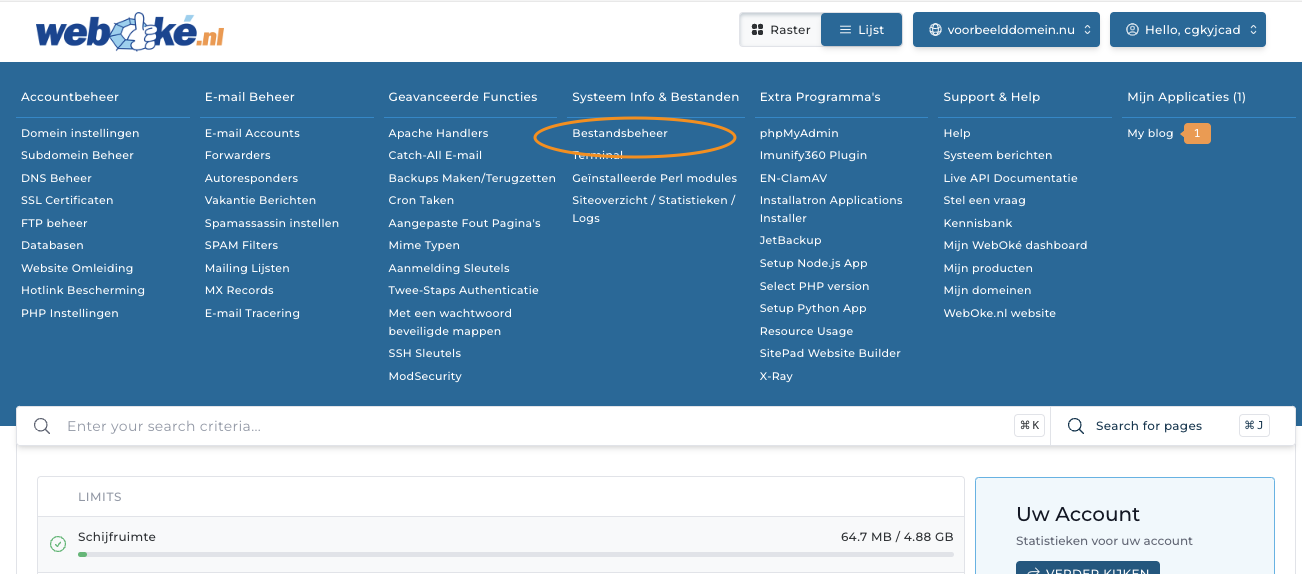
Here you can browse through all folders and files.
DirectAdmin may not show statistics per folder by default. In that case, click the 'settings button' at the top right and then switch on 'folder sizes'.
Can't work it out? If you contact the support team, we will be happy to help you understand why the storage in your hosting package is full.