
Create new Office document (document, spreadsheet, and presentation)
With the Office Suite in your Nextcloud, you can create and edit documents, spreadsheets, and presentations directly in your browser. The Office Suite works with Euro-Office: Word, Excel, and PowerPoint files remain exactly as they are. You need an Office Suite licence for this, see Ordering an Office Suite licence and assigning it to a Nextcloud user.
Step 1 - Open Files
Log in to your Nextcloud and click on the Files folder at the top. Go to the folder in which you want to create the new document.
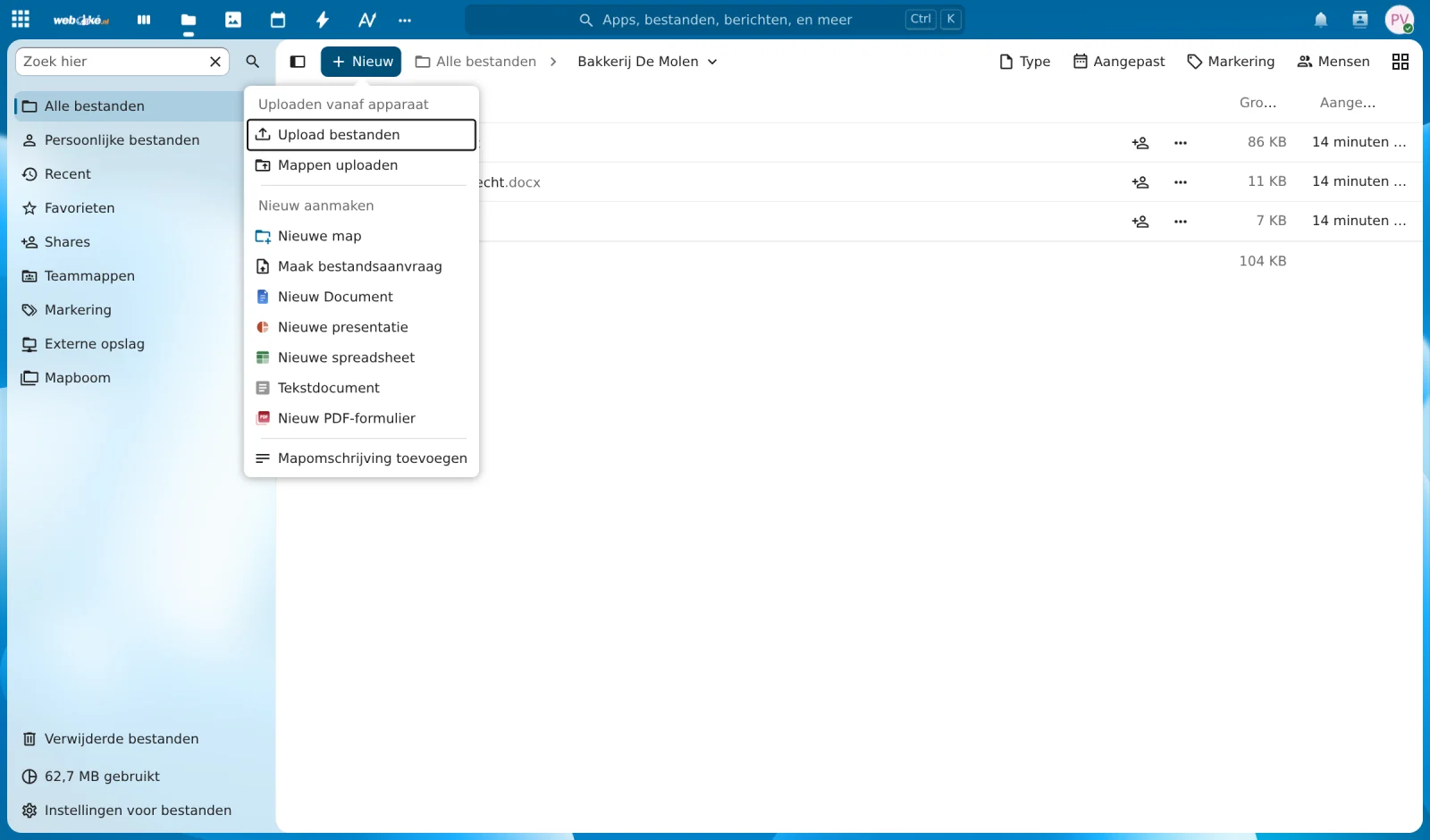
Step 2 - Click on New
Click on + New. Under Create new, choose what you want to create: New Document (a text document, like in Word), New spreadsheet (like in Excel), New presentation (like in PowerPoint), or New PDF form.
Step 3 - Give it a name
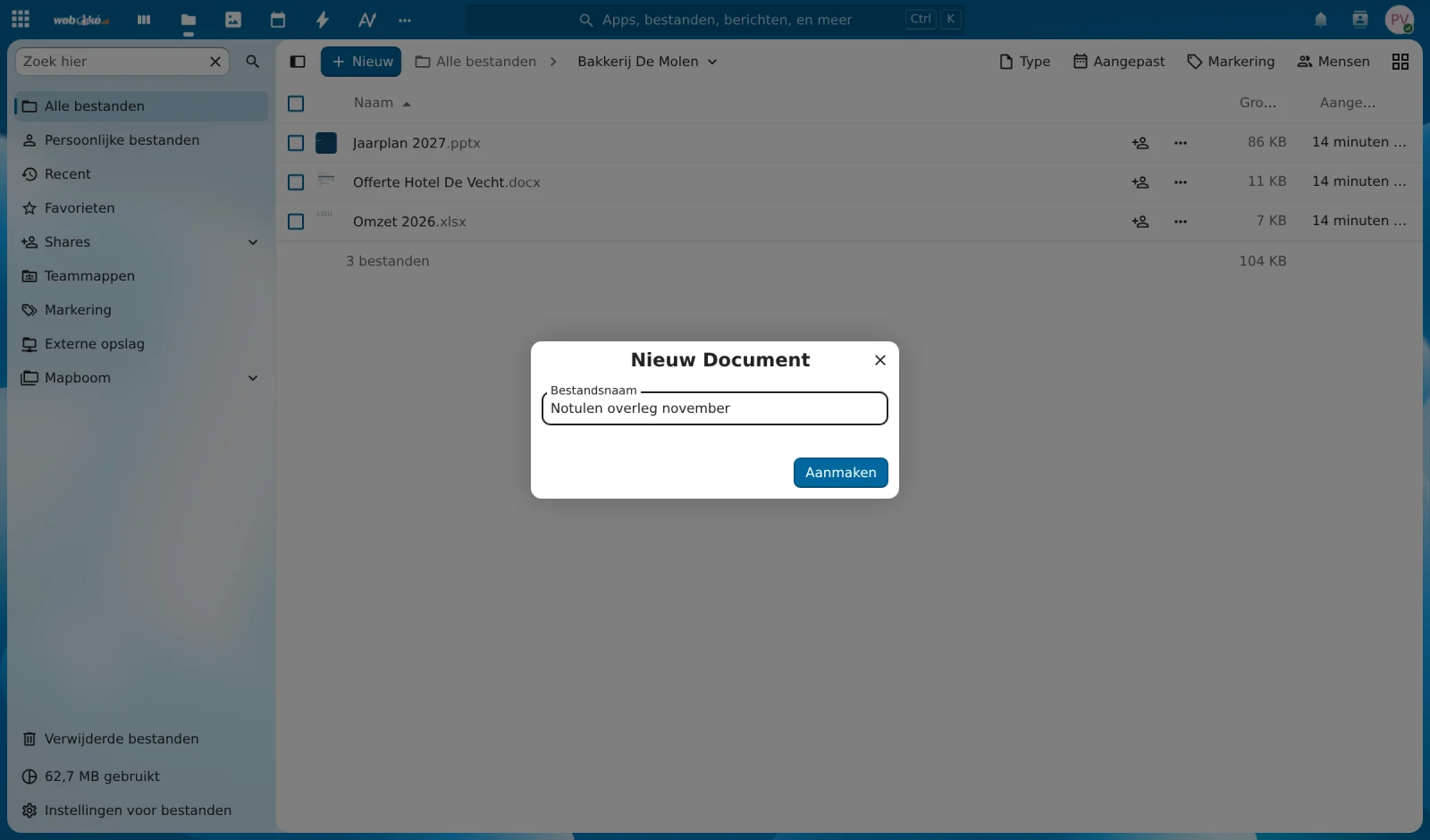
Type a name for the file and click on Create. The extension (.docx, .xlsx, or .pptx) will be added automatically.
Step 4 - Get started
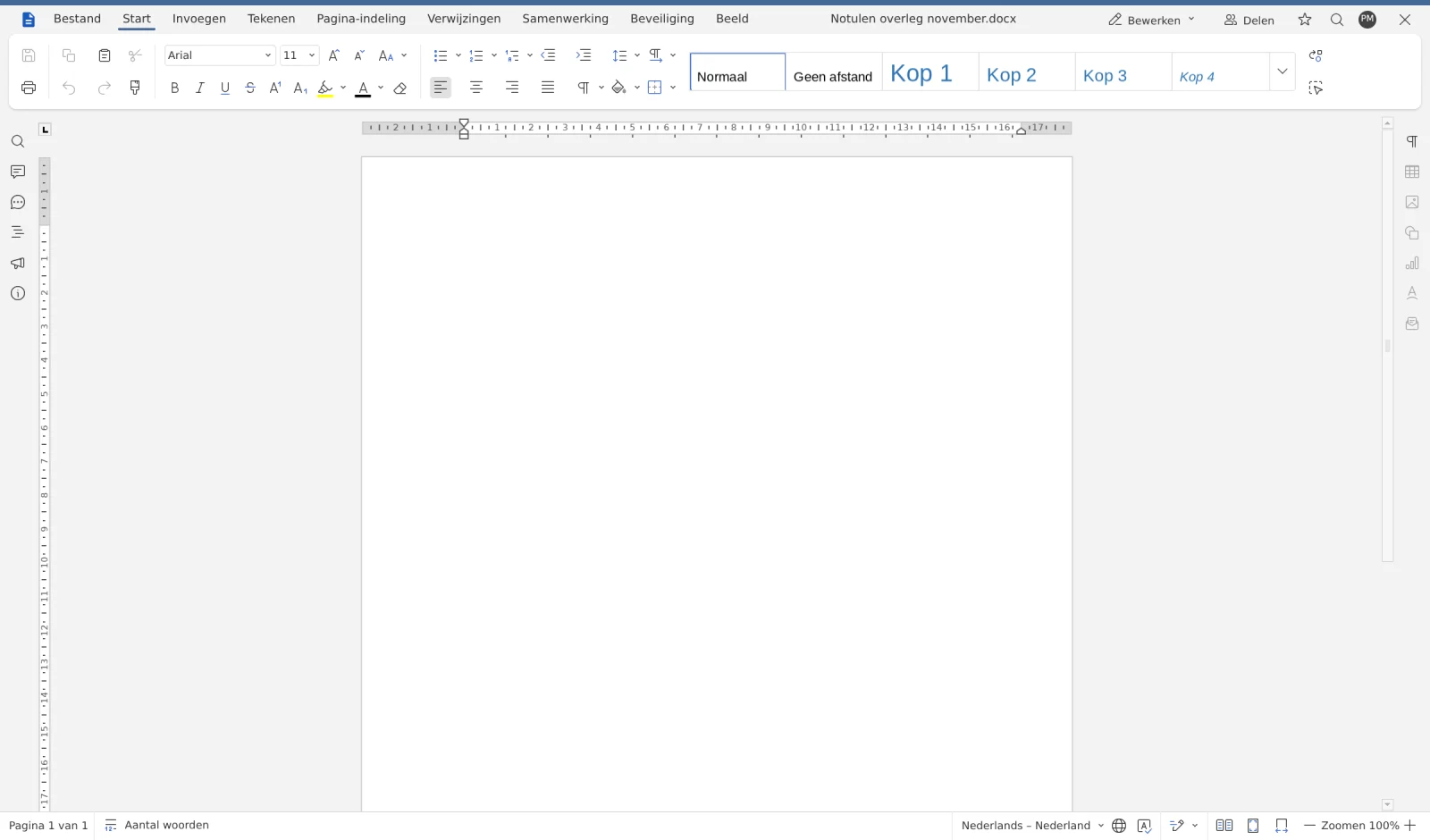
The document opens immediately in Euro-Office and you can start right away. Changes are automatically saved in your Nextcloud. When you're done, click on the cross in the top right to go back to your files.
Tip
The same menu also has Text document. That's a simple note from Nextcloud itself, handy for short notes. You don't need an Office Suite licence for that.