
Chapter 17 · 17.1
User statistics: visitors and data traffic
How much storage space are you using, how much data traffic has your website used this month, and how many mailboxes do you have left? You can see this in DirectAdmin under User statistics. The key figures are also shown on the dashboard.
On the dashboard
On the DirectAdmin dashboard, under LIMITS, you'll find the Disk Space (1) and Bandwidth (2) of your package, with a bar showing how full it is. Under USAGE you can see how many e-mail addresses, FTP accounts and databases you have.
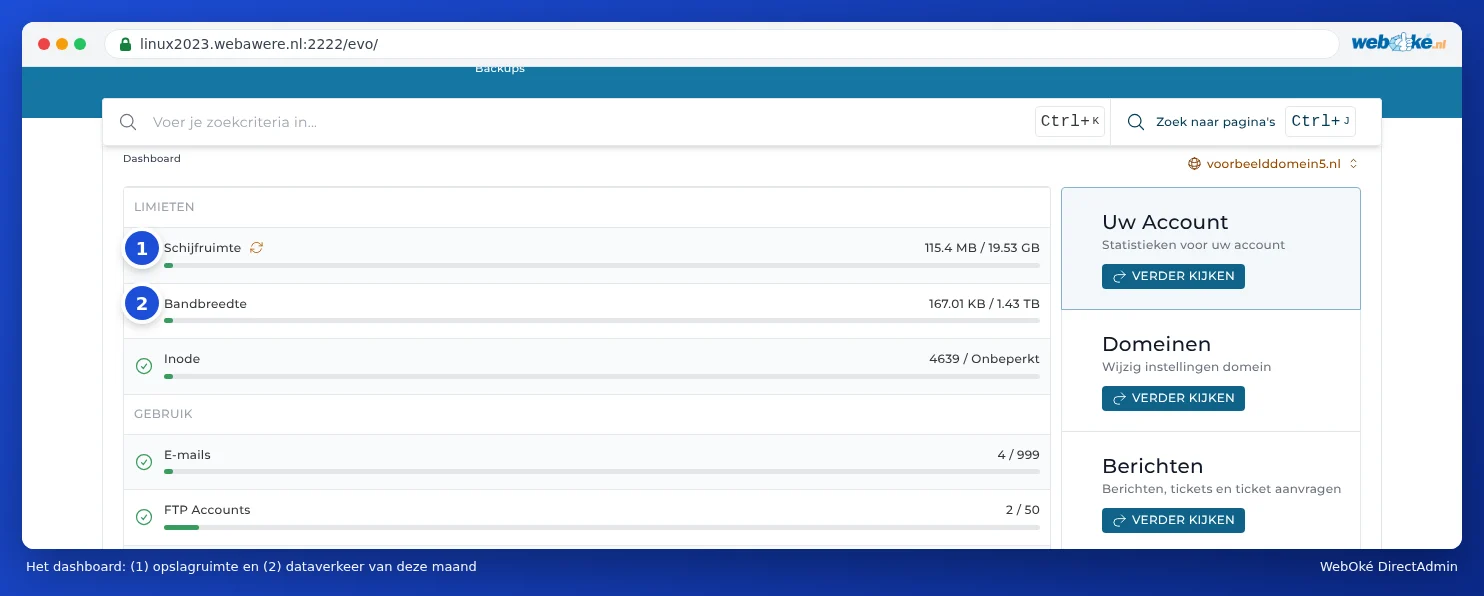
Click VIEW MORE under Your Account for all the details. This takes you to User statistics.
User statistics
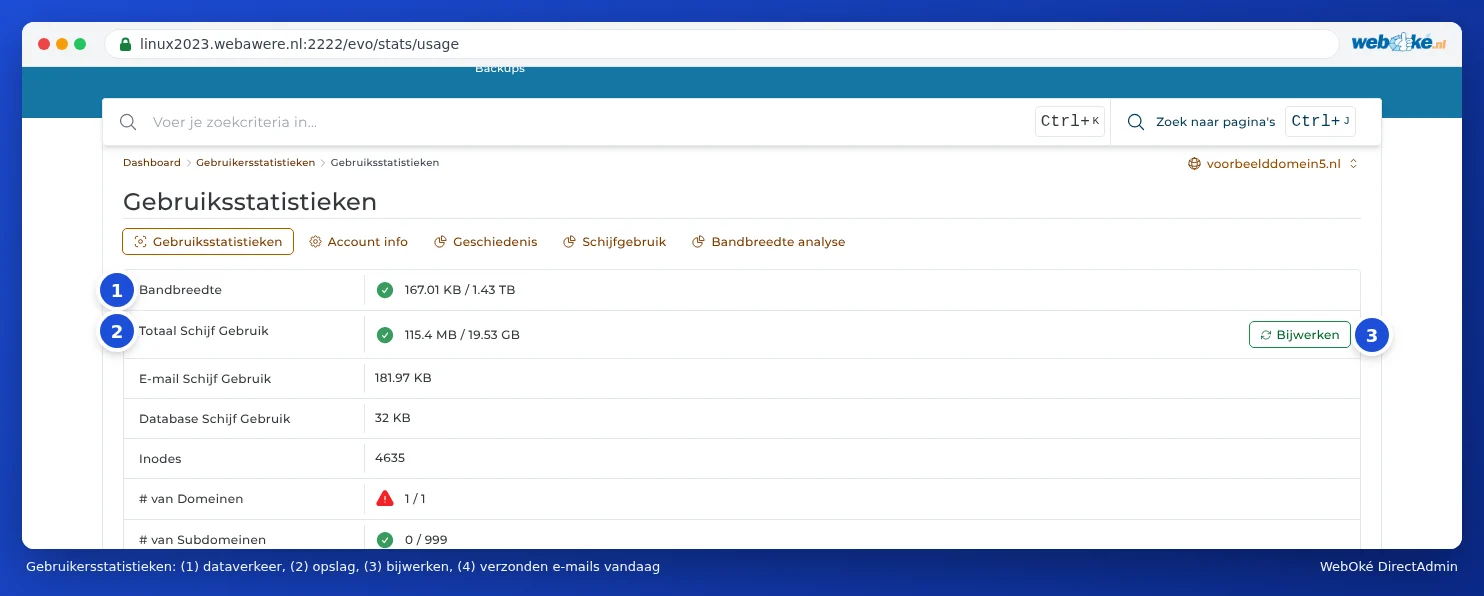
Under System Info & Files, click User statistics. The Account info tab lists everything at a glance:
| Line | Meaning |
|---|---|
| Bandwidth (1) | This month's data traffic, compared with your limit. The count restarts every month (see Data traffic (bandwidth) and what happens when you run out). |
| Total Disk Usage (2) | Your storage space: files, e-mail and databases combined, compared with your limit (see Storage full: where's the space going?). |
| E-mail Disk Usage and Database Disk Usage | What portion of your storage is used by your mail and your databases. |
| Inodes | The number of files and folders in your package. |
| # of Domains, E-mail Accounts, FTP Accounts and so on | How many you're using, and how many your package allows. |
| Sent E-mails (4) | How many e-mails your package has sent today, compared with the sending limit of 300 e-mails per day per package (see Send limits and the 'message limit reached' message). |
The storage figures are updated automatically on a regular basis, but not instantly. Have you just freed up space? Then click Update (3).
The other tabs
- History: data traffic, storage and the number of inodes per month. This shows whether your website is growing.
- Disk usage: what your storage space is made up of (see Storage full: where's the space going?).
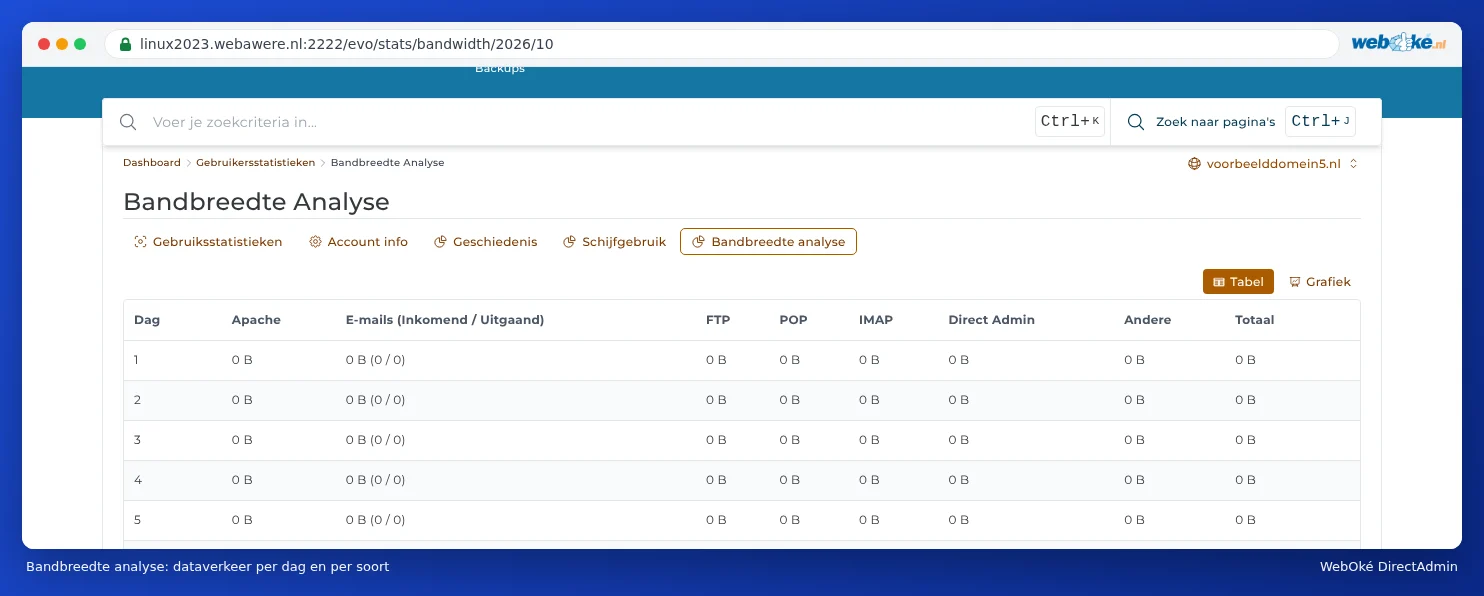
- Bandwidth breakdown: data traffic per day, split across website (Apache), e-mail, FTP, POP, IMAP and DirectAdmin.

And my website's visitors?
User statistics is about your package, not your visitors. To see how many visitors your website has, which pages they view and where they come from, check the visitor statistics in AWStats (see Site summary & logs: the error log and the access log).