
Chapter 1 · 1.1
What is DirectAdmin and what can you do with it?
DirectAdmin is the control panel for your hosting package at WebOké. It's the place where you manage everything related to the content of your package: your website, your email addresses, your domains and your databases. You open it in your browser, there's nothing to install on your computer.
At WebOké, DirectAdmin runs with the new look called Evolution, with our logo in the top left. This guide covers that look and always uses the names you see in the menu.
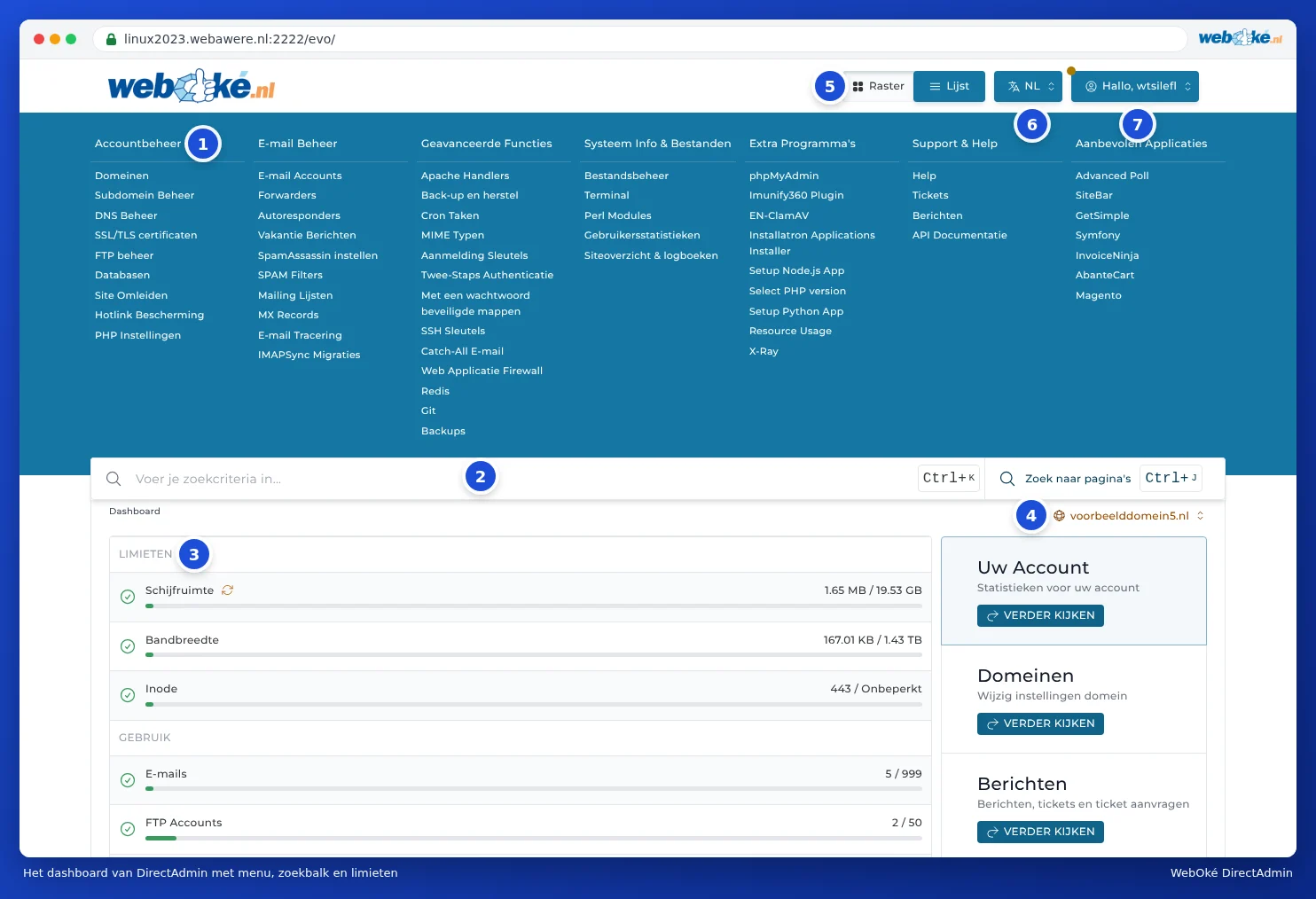
What can you do in DirectAdmin?
| Topic | Examples | Read more |
|---|---|---|
| Domains | Add domains and subdomains, point a second domain name to the same site, forward a domain. | Viewing the domains in your package |
| DNS | Add records for Google, Microsoft 365 or a newsletter service, set up SPF, DKIM and DMARC. | What is DNS and when do you change it? |
| SSL | Request a free certificate, so your site works with https and a padlock. | What is SSL and how does WebOké arrange it? |
| Create and forward email addresses, set up an out-of-office reply, filter spam. | Creating an e-mail address | |
| Files | Upload files with File Manager or FTP, extract zip files. | Opening File Manager: the directories in your package |
| Databases | Create a database for your website and manage it in phpMyAdmin. | Creating a database |
| Installing websites | Install WordPress and other software with Installatron. | Opening Installatron: what can you install? |
| PHP | Choose the PHP version and adjust settings such as the maximum upload size. | Selecting the PHP version (Select PHP version) |
| Backups | Create and restore a backup yourself. | What backups are available at WebOké |
| Statistics | View visitors, data traffic, error messages from your website and the usage of your package. | User statistics: visitors and data traffic |
DirectAdmin or My WebOké?
Besides DirectAdmin, you also have My WebOké, your customer environment at WebOké. The two complement each other:
- My WebOké covers your customer relationship: your products, invoices, domain registrations, tickets and your details. You also order a bigger package or extra storage there.
- DirectAdmin covers what's inside your hosting package: your website, your email and your databases.
You can do some things in both places, such as changing DNS records. You can read which ones in Which packages have DirectAdmin, and what do you manage in My WebOké?.
How do you get in?
The easiest way is via My WebOké: go to My Products and click DirectAdmin next to your package. You're then logged in straight away, without a separate password. You'll find all the ways to log in in Three ways to log in.
Can I break anything?
Most things in DirectAdmin can simply be undone. There are a few exceptions. Be careful with:
- deleting: a deleted email address, a deleted database or deleted files are gone (except from a backup, see What backups are available at WebOké);
- DNS records for your main domain: an incorrect record can make your website or email unreachable (see Opening DNS Administration and reading the records);
- passwords: if you change the password of a mailbox, update it on your phone and computer as well.
Tip: Not sure? Ask the AI assistant in My WebOké, or open a ticket. Better one question too many than one mailbox too few.