
Chapter 13 · 13.1
Ordering Office licences and assigning them to users
Everyone who wants to work with Euro-Office in your WebOké Nextcloud needs an Office Suite licence. You buy a licence per user. This way, you only pay for the people who actually use the office suite. This article is for the administrator: the person who manages the Nextcloud package in My WebOké.
How many licences do you have?
- Log in at mijn.weboke.nl and go to My Products.
- Click Admin next to your Nextcloud package.
- At the top, under Office Suite licences, you'll see how many licences you have and how many are in use, for example 3 of 5. Next to it, you'll also see the number of Nextcloud users and the storage space.
Ordering extra licences
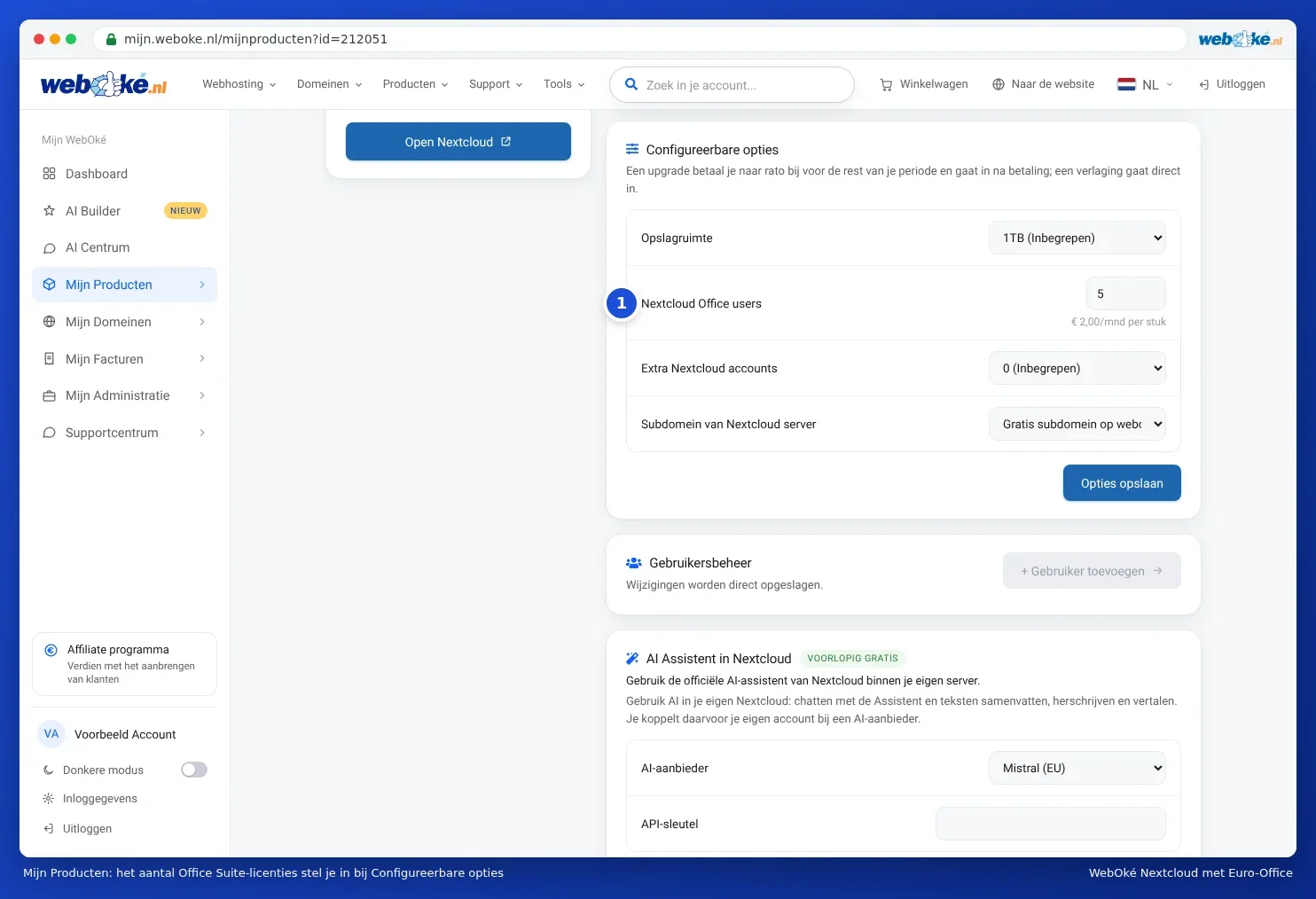
- On the same page, go to Configurable options.
- Next to Nextcloud Office users (1), set the number of Office licences to the number you need. One licence is for one user.
- Click Save options.
- You'll now see the extra amount you pay for the rest of your package's term, excluding and including VAT. Because you only pay the difference up to the next renewal date, this amount is often lower than the price for a full year.
- Click Confirm and pay and pay the invoice.
After payment, the new licences are available immediately. From the next renewal onwards, they're included in the price of your package. You can find the price per licence next to the Nextcloud packages on our website.
Assigning a licence to a user
- On the admin page of your Nextcloud package, scroll to User management.
- Switch on the toggle in the Office Suite column for the user.
The change is saved immediately. The user can open documents, spreadsheets and presentations in Euro-Office straight away. If the user is already logged in and doesn't see anything yet, ask them to reload the Nextcloud page.
Creating a new user with Add user? Then tick Assign Office Suite licence straight away. You can read more about users in Managing users and groups for Office.
All licences in use?
Then you'll see a message showing your number of licences: All 5 Office Suite licences are in use. Increase the number under Configurable options or turn off Office for another user. You then have two options:
- Move a licence. Turn off Office for someone who no longer uses it. That licence then becomes available for someone else.
- Order more licences, as described above.
Fewer licences
Need fewer licences? First turn off Office for the users who no longer need it, then lower the number under Configurable options. A reduction takes effect immediately and counts towards the price from the next renewal onwards.
Tip: a user without an Office Suite licence can still upload, download and share files in Nextcloud as normal. Only editing in Euro-Office requires a licence. A simple note using Text document in the New menu works even without a licence.